


Coquette Three | RTX 5080 16GB + Ryzen 7 7800X3D + 32GB | Ready-to-Go Gaming PC | PC36
Coquette Three | RTX 5080 16GB + Ryzen 7 7800X3D + 32GB | Ready-to-Go Gaming PC | PC36
- Optimised spec
- Built by experts
- Triple-safe Shipping
Customise with the dropdown menu
🖤 Coquette Three
The quickest thing in the room, and the last one you would guess
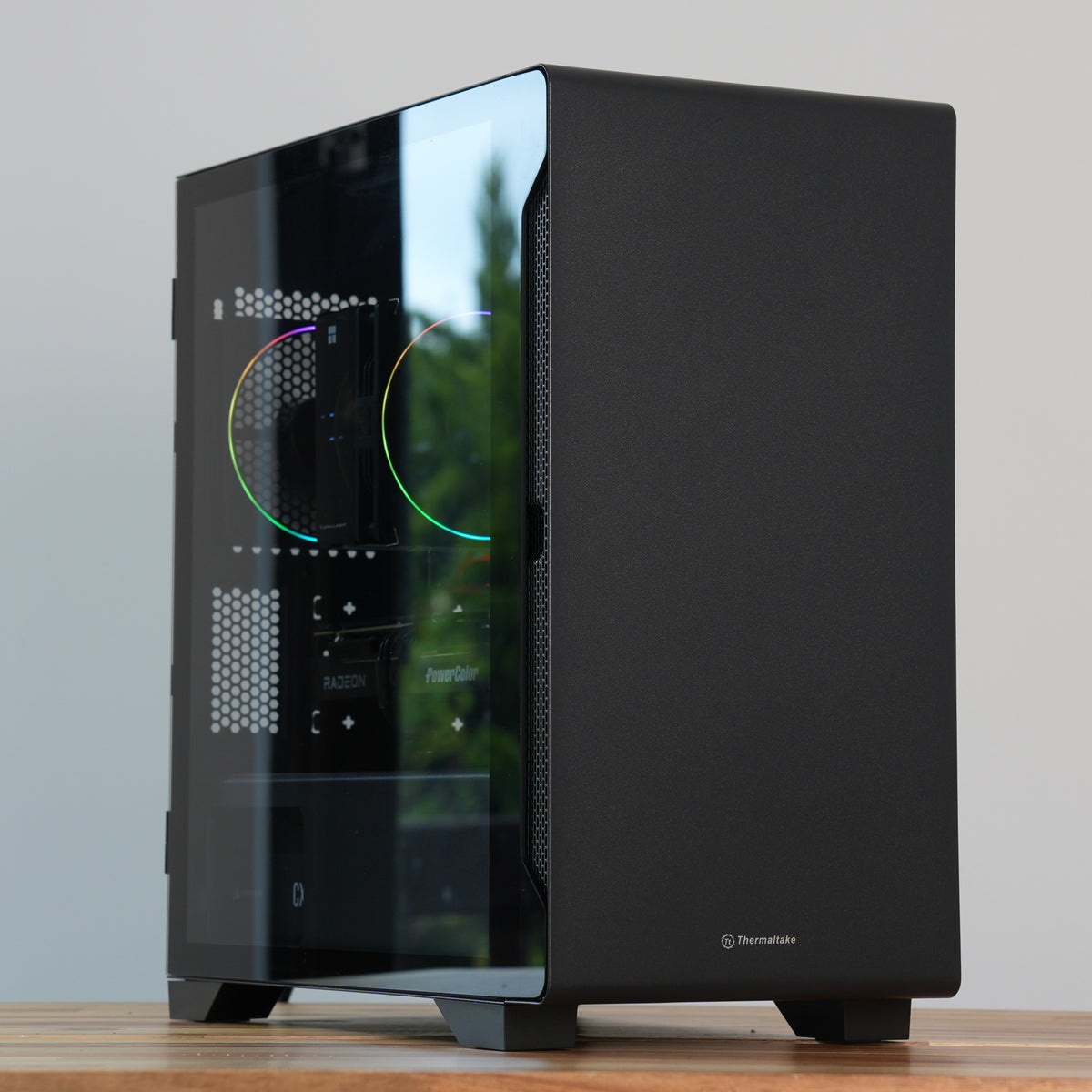
There is an RTX 5080 inside this case, and nothing on the outside of it says so. Plain black steel, a solid front, a glass side, and not a single light anywhere in the machine. Coquette Three is the top of this series, and it still refuses to look like the top of anything.
Behind the panel it is a 4K machine in the full sense. A Ryzen 7 7800X3D with 96MB of L3 cache, 16GB of GDDR7, 32GB of DDR5-6000, and a 240mm radiator in the roof sending the processor's heat straight out of the top of the case rather than into the air the graphics card is breathing. Heavy ray tracing at 4K is comfortable here rather than a setting you weigh up first.
It is also the least expensive 5080 build we sell, and that is a decision rather than a coincidence. Everything that changes how this machine plays got the money, and everything that only changes how it photographs did not. At 4K, that is where the difference lands.
🧬 Built to last, designed to evolve
Built on AMD's AM5 platform, which AMD have committed to supporting into 2027 and beyond, so the processor can be replaced without touching anything else. The board has four DDR5 slots with two free and three M.2 slots with two free, so memory and storage both grow by addition rather than replacement. The case takes graphics cards up to 330mm and coolers up to 165mm. This is a machine designed to be kept and fed rather than rebuilt.
📃 Specifications
- 🧠 CPU: AMD Ryzen 7 7800X3D
Click or tap for deeper spec info
- 8 cores, 16 threads of Zen 4, boosting to 5.0GHz, with 96MB of L3 cache thanks to 3D V-Cache. 120W TDP, and like any modern Ryzen it climbs past that figure while boosting with every core loaded. The 240mm liquid cooler fitted takes those peaks without the fans having to rise to meet them
- Still one of the best gaming processors made, and the value pick among them. The enormous cache is what large open worlds, simulation titles, heavily modded games and competitive shooters respond to, and it is the reason this chip outruns processors with far higher clock speeds in exactly those games
- At 4K the graphics card is the limit in almost everything, so a faster processor would change very little. At 1440p the X3D cache is doing real work. This is the right chip for a machine expected to do both
- The stacked cache sits above the cores on this generation, so AMD lock the multiplier to protect it. That means the tuning options below are an undervolt and a memory tune rather than an overclock, and we would rather be accurate about that than sell you something the silicon will not do
- Socket AM5, so the 9800X3D upgrade below is a drop-in change and future generations will fit this board too
- ❄️ CPU cooler: ID-Cooling FX240 Pro Black, 240mm liquid cooler (non-RGB)
Click or tap for deeper spec info
- A 240mm all-in-one liquid cooler with two 120mm PWM fans, a copper coldplate and a 300W rated dissipation, mounted in the top of the case. Plain black with no lighting anywhere on it
- Three hundred watts of rated cooling against a 120W processor. The point is not that the chip demands it, but that a radiator this size sheds the heat with the fans turning slowly. Quiet comes from surface area
- It also moves the processor's heat out of the case entirely. An air cooler dumps warm air into the chassis for the rear fan to deal with; a top-mounted radiator exhausts it straight out through the roof. In a build with a 360W graphics card underneath it, keeping those two heat sources on separate paths is worth more than the raw cooling figure
- Mounted in the top so the front stays free for two 140mm intakes, which is the arrangement that works best in this chassis
- Fans run 500 to 1800rpm, hydraulic bearing, with the pump at 2900rpm on a ceramic bearing
- Mounted with thermal paste applied by hand rather than using a pre-applied pad. Tube routing and pump orientation are set so no air can collect at the pump, which is the thing that shortens an AIO's life
- 🔲 Motherboard: ASRock B850M Pro-A WiFi (micro-ATX)
Click or tap for deeper spec info
- PCIe 5.0 x16 for the graphics card, in a steel reinforced slot with gold contacts. An RTX 5080 is a heavy card and this board holds it properly
- 8+2+1 Dr.MOS power design. Plain English translation: comfortably more power delivery than a 7800X3D draws. ASRock do not publish an amperage figure for these power stages and we are not going to invent one
- Four DDR5 slots supporting up to 256GB. Two are used here, so going to 64GB later means adding a pair rather than replacing what you have
- Three M.2 slots: one Gen5 with a heatsink and two Gen4. Only one is used. Note that filling the second CPU-connected M.2 disables the secondary PCIe x4 slot, which will not affect most people but is the sort of thing we would rather you heard from us
- Wi-Fi 6E and Bluetooth 5.2 built in, aerial supplied. 2.5 Gigabit Ethernet on a Realtek Dragon controller
- Rear I/O includes a 10Gbps USB-C and a 10Gbps USB-A alongside four more ports, plus HDMI 2.1 and DisplayPort 1.4. Realtek ALC897 audio, four SATA ports
- BIOS Flashback and Post Status Checker diagnostic LEDs
- This is a mid-range board under a very fast machine, and we are putting it in plain sight. It does everything this build actually uses. What it does not have is Wi-Fi 7, USB4 or a premium audio codec. On this series that is the trade, and the money is in the graphics card instead
- PC36 only uses motherboards chosen for stability and longevity. See our Trusted brands page
- 📏 Memory / RAM: 32GB (2×16GB) DDR5-6000 CL36
Click or tap for deeper spec info
- A matched pair running dual channel at DDR5-6000 CL36, enabled via EXPO in the BIOS before it ships
- DDR5-6000 is the speed Ryzen on AM5 runs best at. It keeps the memory controller and the memory running in step with each other, and going faster on paper often makes it slower in practice. On an X3D chip that balance matters more than the headline number
- 32GB is the right amount for a machine at this level. It covers modern games at maximum settings with plenty spare for a browser, Discord and a stream running alongside
- Two of the board's four slots are free, so going to 64GB later is a matter of adding a pair rather than throwing away what is in there
- Specification guaranteed, model may vary. Happy to confirm the exact part on request
- 💾 Storage: 1TB NVMe PCIe 4.0 SSD (QLC)
Click or tap for deeper spec info
- Rated at 5,000MB/s or better, fitted in the board's Gen5 slot under its heatsink. Games load in seconds and Windows feels instant
- QLC rather than TLC, and at this price that deserves an explanation rather than a footnote. On our other machines at this level we fit TLC. Here we have not, because this series exists to put the largest possible graphics card in front of you and something had to give. For loading games and running Windows the two are indistinguishable. Where QLC gives ground is very long sustained writes, where it slows once its fast cache fills
- If you move large files regularly, take the 2TB option below. It is a TLC drive and it is the upgrade we would encourage most on this particular build. We would rather tell you that than let you find out
- We fit 1TB as standard across the whole range rather than varying it by price, so comparing our machines to each other is straightforward
- Two more M.2 slots free, plus two 3.5 inch and two 2.5 inch mounts in the case
- Specification guaranteed, model may vary. Happy to confirm the exact part on request
- 🎮 Graphics card: NVIDIA GeForce RTX 5080 16GB
Click or tap for deeper spec info
- Blackwell, 16GB of GDDR7 on a 256-bit bus. A 4K card in the proper sense, and far more than any 1440p monitor will ever ask of it
- DLSS 4 with Multi Frame Generation. Transformer-model upscaling is a real visual step up from the older model, and on a card this fast it is what turns 4K from playable into effortless
- Heavy ray tracing at 4K is comfortable here. This is the tier where ray tracing stops being a setting you weigh up and becomes one you leave on
- Dual NVENC encoders. If you stream or record seriously, NVENC is what most streaming software is built around and having two of them means recording and streaming at once without either suffering. AV1 supported for encode and decode
- Powered by a 12V-2x6 connector, fed by a native cable from the power supply rather than an adapter. That matters for safety as well as tidiness
- The card is selected to fit this chassis properly. The case takes cards up to 330mm and we build to that, so the card in your machine will sit inside the limit with the front fans in place rather than fighting them
- The chipset and VRAM are guaranteed: it will always be an RTX 5080 with 16GB. The AIB brand varies with availability, and we only use established manufacturers. See our Trusted brands page for more info
- 🧰 Case: Thermaltake S100 TG, Black
Click or tap for deeper spec info
- 411 × 220 × 441mm, a micro-ATX mini tower in SPCC steel with a 4mm tempered glass side panel on a magnetic hinge
- Graphics cards up to 330mm, CPU coolers up to 165mm, power supplies up to 160mm. We select the card to fit properly rather than to the millimetre
- The front panel is solid steel, and air comes in through large vents down its sides rather than through a mesh face. We would rather say that plainly than let you discover it. A mesh front does move more air. What this arrangement gives up in raw intake it makes up in a cleaner look and much less dust, and this build answers it by putting two 140mm fans behind that front panel and taking the processor's heat straight out of the roof. We have tested it rather than assumed it
- This is the most debatable component in the build and it is deliberate. It costs a fraction of what a showpiece chassis costs and it holds a 5080 and a 240mm radiator without complaint. The money it saves is sitting in the graphics card
- Fan mounts: two at the front taking 120mm or 140mm, two in the top, one at the rear. Radiator support is 240mm or 280mm at the front and in the top
- Two 3.5 inch drive bays and two 2.5 inch mounts
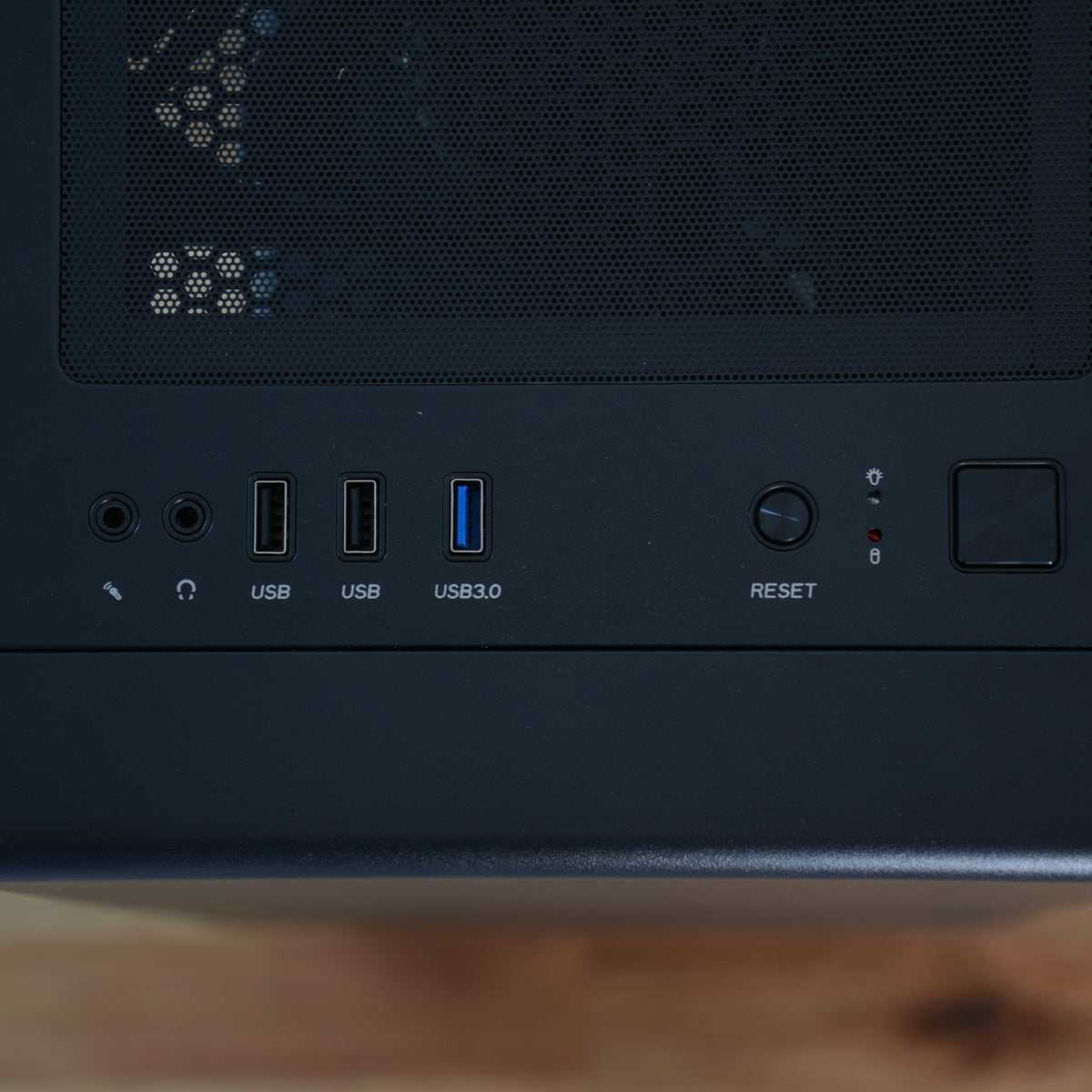
- Front I/O is one USB 3.0 and two USB 2.0 ports with a headphone and microphone jack. There is no front USB-C on this chassis, which is part of how the price works. There is a 10Gbps USB-C on the rear I/O
- Magnetic dust filter on the top vent and a mesh filter under the power supply
- 🌬️ Case cooling: 2 × 140mm front intake, 1 × 120mm rear exhaust included with the case, 2 × 120mm on the radiator
Click or tap for deeper spec info
- Two 140mm fans at the front rather than two 120mm ones. A 140mm fan moves more air per turn, so it can turn more slowly for the same result. On a build with a 360W card behind that solid front panel, this is the single most effective thing we can do
- The case's own 120mm exhaust at the rear, and the cooler's two 120mm fans in the roof taking the processor's heat straight out of the top
- Five fans in total and every one of them is doing a job. Two drawing cool air in at the front, one pulling it out at the rear, and two on the radiator sending the processor's heat out through the roof on a separate path from the card's
- Four-pin PWM throughout, plain black, no lighting
- Fan curves are set by hand before dispatch and verified through our standard stress testing rather than assumed. Honest expectation setting: a 360W graphics card in any case will be audible in a demanding game, and it is the card you will hear rather than the processor. The radiator gives the CPU side a great deal of quiet headroom, but it cannot do anything about the card. This chassis handles the heat properly; it is not a silent machine under load and we would rather say so
- ⚡ Power supply: Deepcool PN850D 850W 80+ Gold
Click or tap for deeper spec info
- 850W, which is NVIDIA's own recommendation for the RTX 5080. Under a heavy gaming load this build draws around 520W, so there is genuine headroom above the load rather than merely enough
- ATX 3.1 certified with a native 12V-2x6 cable rated to 600W, which is specifically designed to tolerate the short transient spikes Blackwell cards are known for. That certification is the reason 850W is the right answer here rather than a nervous one
- 80 PLUS Gold, and non-modular, which is where this series shows its hand. Every cable is permanently attached, so the unused ones live behind the motherboard tray. We route and tie them properly and the machine looks tidy through the glass, but it takes us longer than a modular unit would and we would rather you knew the part rather than assumed it
- If you would rather have more headroom, a 1000W unit is available on live chat. It is not necessary and we will not push it, but if you are planning a 5090 one day it is cheaper now than later
- 🔌 Cabling: Black cabling, routed and tied
Click or tap for deeper spec info
- Non-modular, so the unused cables are routed and stowed behind the tray rather than left loose. Nothing crosses the front intake path
- The 12V-2x6 cable is routed with a proper bend radius rather than forced into the nearest gap. That connector does not tolerate being crushed, and getting it right is not optional on a card this expensive
- Braided cable extensions are available as an upgrade if you want the look through the glass. Ask us on live chat
- 📶 WiFi / Bluetooth / Ethernet: Wi-Fi 6E, Bluetooth 5.2 and 2.5G Ethernet, included
Click or tap for deeper spec info
- Built into the ASRock B850M Pro-A WiFi. No separate adapter needed, and the aerial is supplied in the box
- Wi-Fi 6E adds the 6GHz band, which is far less congested than 2.4 and 5GHz in a busy household
- 2.5 Gigabit wired Ethernet, which we would still recommend over wireless for competitive play
- 🪟 Operating system: As chosen by you from the listing options below. Windows 11 Home (OEM) is recommended.
- 🧹 Setup and optimisation: PC36 High-Class Standard. Full stress test with certificate, bloat-free installation, and BIOS set up properly
Click or tap for deeper spec info
PC36 High-Class Standard, included free with every build
- Ready the moment you open the box. Your PC boots straight into Windows with a local account already set up. No account sign-in wall, no first-run questionnaire, no half-hour of setup before you can use the machine you just bought
- BIOS updated and configured properly: manual fan curves, PBO enabled, EXPO enabled, Secure Boot enabled
- Vanilla Windows 11 installation if you choose Windows, with no bloatware added by us, and all drivers loaded and ready to go
- Full stress test with certificate. Every system is torture tested on CPU, RAM and GPU before dispatch, and ships with the certificate to prove it
PC36 Premier Optimisation, available in the listing options
- CPU tuning to bring thermals and noise down with minimal performance loss, plus a deeper strip and debloat of Windows and a hand-tuned fan profile
- Worth it if the machine is going somewhere you sit near it. The graphics card is the loudest thing here, so a good part of the value is in the fan profile rather than the processor tune
PC36 Ultimate Performance Tune, available in the listing options
- Advanced tuning: memory tune, CPU overclock and GPU overclock on top of everything in Premier
- On the 7800X3D the multiplier is locked, so the processor side of this is an undervolt and a memory tune rather than an overclock. Both are worth having, and the X3D cache responds well to a memory tune. The GPU overclock is where most of the frame rate gain sits on this build
- 🛡️ Warranty: 3 years parts & labour (return to base)
Click or tap for deeper spec info
- Standard 3-year coverage included, parts and labour both. The same warranty as every machine we sell, regardless of price
- Optional extended warranties in the listing options below
Why don't all parts list a brand and model?
Most of our spec is named exactly. The processor, motherboard, case, cooler and power supply are the models listed, every time.
For memory, storage and graphics cards we give a performance and quality guarantee instead of a model name. Supply on these three moves constantly, and pricing with it. Rather than list a part we might not be able to source next week, we commit to the specification: capacity, speed, timings, endurance class. And for graphics cards, we will always give you the chipset (e.g. RTX 5080) and VRAM (e.g. 16GB) that is listed.
We only use parts from established manufacturers. In practice the difference between two well-made components at the same specification is small enough that most people would never notice it.
If you'd like to know exactly what's going into your machine, ask before you order and we'll tell you. If you'd prefer a particular model, we can usually accommodate that, and you'd pay the difference in cost.
👁️ Transparency notes
-
The graphics card ships in its own box to protect the PCIe connector in transit, with instructions for fitting it (click or tap to read more)
This PC contains a large and high value graphics card. All graphics cards have a point of weakness at the PCIe connector, and shipping the card in its own box prevents damage that can happen in transit despite our industry-leading packaging. It arrives with simple instructions and fitting it takes a couple of minutes. If you have any queries about this, please contact us. This is without doubt the safest method to ensuring your high performance graphics card arrives pristine.
-
The motherboard and the storage are both a tier below what we would normally fit at this price, and that is the point of the series (click or tap to read more)
On our other 5080 machines you would get a TLC drive, and on several of them a dearer board. Here you get a B850M Pro-A and a QLC drive, and that difference is why this is the least expensive 5080 build we sell. The board still gives you a Gen5 steel-reinforced graphics slot, four memory slots and three M.2 slots, and the drive is indistinguishable from TLC for gaming, giving ground only on very long sustained writes. If that is the wrong trade for you, the 2TB TLC storage upgrade is in the options below and our other 5080 builds are a click away.
-
The case has a solid front panel and draws its intake through side vents rather than a mesh face (click or tap to read more)
A mesh front moves more air, and there is no argument to be had about that. What this chassis does instead is pull air in through large vents down both sides of the front panel, which is quieter, keeps far more dust out and looks cleaner. On this build we answer the difference twice over: two 140mm intakes rather than 120mm ones, and a radiator in the roof so the processor's heat never joins the card's air path at all, both verified in our own stress testing rather than assumed. If maximum airflow matters more to you than the look, one of our mesh-front 5080 builds is the better buy and we'll happily point you at one.
-
This much hardware in a compact case is very quiet at idle and audible in a demanding game (click or tap to read more)
A 360W graphics card makes noise in any case. This is a well-ventilated 40 litre chassis with a proper airflow path and a radiator taking the processor's heat out of the roof, so it handles the heat comfortably, but it is not a silent machine when the card is working. The Premier Optimisation fan profile is where most of the improvement lives.
- Product images are representative photos of a similar spec in the same style. Your PC will look similar but not identical. Our support team can help clarify anything you're unsure of.
- The ring RGB fans shown later in the photo stack are not included as standard - if you'd like those rather than plain black, leave a note in the listing options below and we'll use them in your build
🛠️ Popular upgrade options
- Storage upgrade to 2TB: available in the listing options below.
Click or tap for more info
The upgrade we would take first on this build, and the one that closes the gap to our dearer 5080 machines. It moves you to a TLC drive as well as doubling the capacity. A card this capable means playing the largest modern titles, several of which run past 100GB each, and 1TB fills faster than people expect.
- Processor upgrade to the Ryzen 7 9800X3D: available in the listing options below.
Click or tap for more info
Worth it if you play at 1440p at very high refresh rates, where the processor is the limit rather than the card. The 9800X3D also has its cache underneath the cores rather than above them, so it is fully unlocked and the Ultimate Performance Tune becomes a genuine overclock. Less worth it if you play at 4K, where the card is the limit in almost everything and the 7800X3D is not holding it back.
- PC36 Ultimate Performance Tune: available in the listing options below.
Click or tap for more info
Worth it if you want everything the hardware has. On the 7800X3D the processor side is an undervolt and a memory tune rather than an overclock, because the multiplier is locked, but the memory tune is worth real frames on an X3D chip and the GPU overclock adds more. Less relevant if you play at 4K and are already limited by the card.
- 1000W power supply: available via live chat.
Click or tap for more info
Worth it if you are thinking about an RTX 5090 at some point, in which case fitting it now saves doing the job twice. Not necessary for this build as it stands, and we will say so rather than sell it to you.
- Memory upgrade to 64GB: available via live chat.
Click or tap for more info
Worth it if you edit video, run virtual machines, or work with large datasets alongside gaming. Not worth it for gaming alone, where no current game benefits. This board has four slots with two free, so it means adding a pair rather than replacing what you have.
- Braided cable extensions: available via live chat.
Click or tap for more info
Worth it if you want the machine to look deliberate through the glass, which matters more on a non-modular supply than a modular one. Colour matched to your preference, and we will ask before we build.
- Extended warranty: available in the listing options below.
- Anything else: speak with us via live chat. You'll be talking to one of us, not a chatbot.
🎯 What is this PC best for?
- 4K gaming at high to ultra settings, which is what this pairing is built for
- 1440p at very high refresh rates, where the X3D cache does its best work
- Heavy ray tracing at either resolution, with DLSS 4 doing the work
- Simulation games, large open worlds and heavily modded titles
- Serious streaming and recording, using both NVENC encoders at once
- Buyers who want a 5080 for the least money and are content for the box around it to be plain
📊 Performance estimates
Figures are given at 1440p and 4K. Performance varies with game updates, maps, settings and background apps. These are estimates, not guarantees.
 Fortnite - Competitive Settings (click or tap to expand)
1440p: 320-410 FPS
4K: 195-255 FPS
Native testing (no upscaling or frame generation).
 Cyberpunk 2077 - Ray Tracing Medium (click or tap to expand)
1440p: 130-170 FPS
4K: 90-120 FPS
Upscaling set to Auto (DLSS / FSR / XeSS based on GPU).
 Battlefield 6 - High Settings (click or tap to expand)
1440p: 155-195 FPS
4K: 95-125 FPS
Native testing (no upscaling or frame generation).
💬 Need help?
Not sure if this is the right spec for you? Ping us on live chat and we'll help you choose the perfect PC for your games, work and budget. You'll be talking to one of us, not a chatbot.

PC36 Recovery USB Twin Pack
One stick to reinstall Windows. One stick for BIOS and drivers. With both, you can fix any software problem at home
£45.00
💻 Love this PC? Make it a full setup below ↓Recommended monitor, keyboard and mouse for this PC just below Add to Cart ↓
Couldn't load pickup availability
🔒 Secure Shopify checkout 🛡️ Warranty included


🖥️ Complete the setup
Monitors and peripherals we'd actually pair with this specific build. Curated, not catalogued.
White colourways available - simply contact us to arrange
Monitors
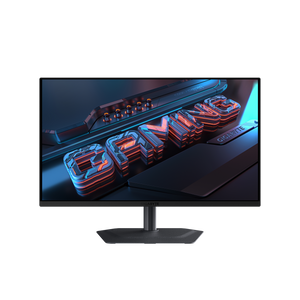
Signature OLED visuals at a mainstream price. 1440p 280Hz for a perfect balance of speed and fidelity. Deep blacks and instant response — with 3-year burn-in cover that protects the investment.
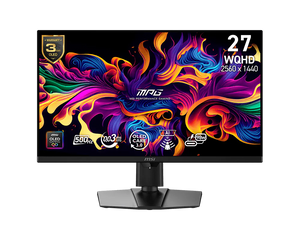
The competitive flagship. 1440p 500Hz QD-OLED for serious play, with DisplayPort 2.1 keeping it future-proof against the next GPU generation. If you need every speed advantage in-game, this is the monitor for you
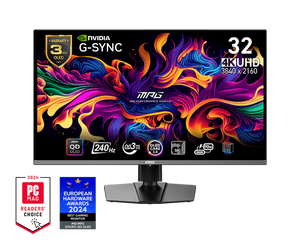
The cinematic flagship. 32 inches of 4K QD-OLED at 240Hz — the kind of monitor you build the rest of your setup around for years, knowing you've got one of the best panels available.
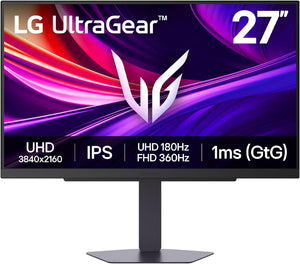
The transformer. Unique dual-mode setup: use 4K 180Hz for story-driven games, and switch to 1080p 360Hz for competitive. Buy this monitor once, and it stays high end for over 5 years, regardless of how much you upgrade your PC.
See all monitors we stock → or message us via live chat for a tailored recommendation.
Keyboard & mouse
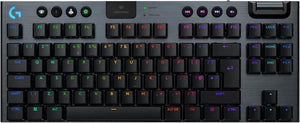
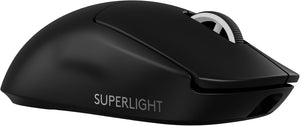
Our daily driver. A few of us at PC36 use this exact combo every day — years in, they still perform like day one.
Other peripheral options we recommend (click to expand)
Looking for something different? Message us via live chat — happy to help you pick the right fit.
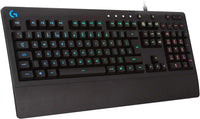
The simple starter setup
Perfect for casual gamers, controller-primary players, or anyone who just needs a working keyboard and mouse.

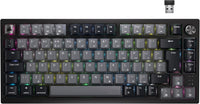
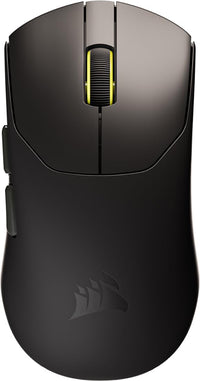
The serious gaming setup
Wireless Corsair flagship setup — a meaningful step up that won't need replacing in two years.
White colourways available on some products — message us via live chat to confirm stock and we'll arrange.


Ready-to-Go PCs
The PC36 Way
⚡Ready-to-Go PCs
Our favourite Gaming PC designs built to order
You choose how much storage you need from the dropdown list, as well as any other upgrades alongside
These are spec'd by us for balance and high-performance
Not quite the spec you want? Or need to change something that's not in the options? Chat with us via the chat bubble icon
Every system is hand-built in Torquay, UK by PC36 - combining clean design, quiet performance, and exceptional reliability
🛠️ Customisation and Upgrades
If there is a change or upgrade you would like to make that can't be done directly from the listing, please contact us and we'll make it happen 😎
🔑 Easy Set-up
PC36 systems are the easiest to own. Simply plug it in, power it on, and use. No fiddling, no setup screens, no driver hunts. We deliver a clean Windows install with the latest drivers pre-installed, so you’re gaming or working straight out of the box.
✅ Testing
Every PC36 system undergoes rigorous stress testing before it leaves our workshop. We push it harder than you ever will — if it fails, we don’t ship it.
100% CPU + RAM + GPU torture tests performed all together for the ultimate stress test
👁️Transparency
Look out for the 👁️ symbol
Here we tell you important info to ensure you know exactly what you're buying and what alternatives might be available
Ready-to-Go PCs
Helpful info
How Long Until I Get My PC?
Build time is typically 7-10 days
Shipping time is typically 3 days
Most orders are delivered within 10-14 days. If you need it faster please get in touch
If you pay by bank transfer, we can build your PC faster, knocking 2-3 days off the standard completion time
In rare circumstances where availability is low, there may be a delay - we will contact you if so. Rest assured, your payment is not actually taken until stock is confirmed
Delivery and Packaging
Most PCs are delivered via DPD
Delivery is normally made on weekdays. You can change the delivery day (including weekends) via the tracking number or DPD app
PC36 has a unique triple-secure shipping method - you can read our SOP here: LINK
We include as many of the individual component boxes as we can fit in the package, because it helps you with resale value down the line
Please note shipments cannot be delivered to a "safeplace" nor to a neighbour. They must be received by a resident only
Further shipping policy details here
Trusted Brands
Due to stock variability, it is not always possible to specify the exact model of SSD/Motherboard/Power Supply/Board partner graphics card model in every listing, although they will always fulfil the spec/chipset described on the listing.
PC36 is a premium brand. We will only ever use components that make sense for a long term, stable, and performant system. That said, we are always happy to confirm the exact model we will use via live chat just before you purchase
See our Trusted brand list here
Warranty
PC36 offers a gold-standard 3-year warranty on all PCs
This covers component and assembly faults
It does not cover accidental, liquid, or vandalism damage, nor overclocking.
User error including pirated software or viruses is not covered
Repair/replacement is attempted first, and if unable to/uneconomical a refund may be offered
Returns Policy
Returns are accepted within 14 calendar days of delivery, with the following conditions:
- Buyer bears responsibility for return postage cost (unless faulty), and responsibility for the safety/condition of the parcel on its journey back to us
- All serial numbers are recorded and any discrepancies will void the return
- The PC and packaging must be returned in saleable as new condition. All packaging and accessories must be included in the return or it will be void
- Refunds are sent directly to the payment method used for the order
See the full returns policy here
Payment Methods
We accept:
- Direct bank transfer (add to cart and instructions are given)
- Debit/credit card
- Shop Pay
Optimisation Options
Pick the level of tuning you want — from correct setup, to fully unlocked performance and validation.
| Optimisation | Standard Included |
Premier £99 · Most Popular |
Ultimate £299 · No Compromise |
|---|---|---|---|
| Clean Windows install & drivers | ✓ | ✓ | ✓ |
| Fan curves & noise optimisation | ✓ | ✓ | ✓ |
| CPU performance tuning (Ryzen: PBO + Curve Optimiser + limits) | ✓ | ✓ | |
| Windows debloat & responsiveness tweaks (reduced background services, faster UI, snappier feel) | ✓ | ✓ | |
| RAM latency tuning (better 1% lows) | ✓ | ||
| GPU tuning (overclock by default · undervolt on request for creators/silence) | ✓ | ||
| Extended stress testing (incl. overnight memory validation) | ✓ |
Standard
Sensible, clean set up that just works.
- ✓Clean Windows install & drivers
- ✓Fan curves & noise optimisation
Premier
Improved performance and day-to-day simplicity. Best value for most builds.
- ✓Everything in Standard
- ✓ CPU performance tuning (Ryzen: PBO + Curve Optimiser + limits)
- ✓ Windows debloat & responsiveness tweaks (reduced background services, faster UI, snappier feel)
Ultimate
Maximum performance, plus deeper testing and validation.
- ✓Everything in Premier
- ✓ RAM latency tuning (platform best-practices)
- ✓ GPU tuning (overclock by default · undervolt on request for creators/silence)
- ✓ Extended stress testing (incl. overnight memory validation)
📏 Shop by PC size
Or go back to all PCs here-

Small Form Factor ("ITX")
Shop ITX buildsPCs with high performance but more portable and take up less desk space.
One of our specialties at PC36.
✅Compact
✅Beautiful
🤔A little more expensive -

Medium Form Factor ("mATX")
Shop mATX buildsPCs that strike the perfect balance between being compact, performant and upgrade-friendly. Our favourite size.
✅Compact
✅Beautiful
✅Excellent pricing -

Regular mid-tower ("ATX")
Shop ATX buildsPCs with maximal compatibility and room to breathe. The industry standard.
✅Maximum upgrade potential
✅Beautiful
✅Excellent pricing


