


PC36 Creator Studio Three | Intel Ultra 7 270K Plus + RTX 5080 16GB + 64GB DDR5 + Thunderbolt 4 | Creator PC | PC36
PC36 Creator Studio Three | Intel Ultra 7 270K Plus + RTX 5080 16GB + 64GB DDR5 + Thunderbolt 4 | Creator PC | PC36
- Optimised spec
- Built by experts
- Triple-safe Shipping
Customise with the dropdown menu
🎨 PC36 Creator Studio Three
A finishing machine built around storage that does not slow down when the writing gets long
There is a moment most editors recognise. The timeline is locked, the render is running, optimised media is rebuilding in the background, and the machine that felt fast all week suddenly feels like it is wading. Almost always the culprit is not the processor or the graphics card. It is the drive the media is being written to, quietly losing half its speed twenty seconds into a long write and never getting it back until the job ends.
Creator Studio Three is the build where we stop that happening. The 2TB project drive fitted as standard is DRAM-buffered, and it is the only machine in the Creator range where that is standard rather than something you ask for. Around it sits an Intel Core Ultra 7 270K Plus with QuickSync for decode and delivery, an RTX 5080 with 16GB of VRAM for CUDA, effects and noise reduction, and 64GB of memory so a heavy timeline, a comp and a photo session can share the machine without arguing.
This is a finishing and grading station rather than a render farm. It handles multicam 4K, graded 6K, real 8K work on a sensible codec, and the After Effects and Fusion side of a project without you planning your day around it. Where it stops, we say so below rather than letting you find out in month three.
📃 Specifications
-
🧠 CPU: Intel Core Ultra 7 270K Plus
Click or tap for deeper spec info
- LGA1851 socket, Arrow Lake Refresh generation. The hybrid core layout is what you feel: media cache building, file copies, a background export and a browser full of reference tabs sit on the efficiency cores, leaving the performance cores for the timeline in front of you.
- QuickSync handles hardware decode and encode for H.264, HEVC and AV1. That is why long-GOP camera footage scrubs cleanly in Premiere Pro and Resolve without building proxies first, and why a straightforward delivery export finishes without hammering the CPU.
- Chosen deliberately over the top of the Ultra range. For editing, grading, photo work and design, the step up buys single-digit percentages on export while the money is better spent on VRAM and on the project drive. If your week is dominated by CPU-side renders or heavy simulation, tell us on live chat and we will spec around that instead.
- LGA1851 is a live socket, so moving up a processor later is a swap in the same board rather than a rebuild.
-
❄️ CPU Cooler: Thermalright Peerless Assassin 120, black dual tower air cooler
Click or tap for deeper spec info
- Dual tower, twin 120mm fans, all black. We fit air here on purpose: no pump to fail, no coolant to degrade over three years, and noise that stays where you left it instead of rising and falling with a pump curve.
- Sustained load is the honest test. This cooler holds the processor at its boost behaviour through a full export or a long batch job rather than looking good for two minutes and then backing off.
- Worth knowing: a large tower cooler is tall and heavy. It is fitted, torqued and checked by hand before the machine goes anywhere, and the Corsair Frame 4000D clears it comfortably.
- If you would rather have a 360mm liquid cooler, say so on live chat before you order and we will fit one instead, subject to availability.
-
🔲 Motherboard: ASRock Z890 LiveMixer WiFi (ATX)
Click or tap for deeper spec info
- Two rear Thunderbolt 4 / USB4 Type-C ports at 40Gb/s. That is the difference between copying a client drive across before you can start and cutting straight off it, and it also means a Thunderbolt dock, a fast external RAID or capture hardware behaves like an internal device.
- Four M.2 slots, one of them PCIe Gen5, plus a PCIe 5.0 x16 graphics slot. Two slots are used by the drives fitted, so there are two free for a second project drive or a dedicated cache and scratch disk later.
- Wi-Fi 7, Bluetooth 5.4 and 2.5 Gigabit Ethernet. The 2.5 Gigabit port is the one that matters if your media lives on a NAS.
- Power delivery on a Z890 board of this class is ahead of what this processor asks of it, so all-core clocks hold through a long render instead of being trimmed back by the board.
-
📏 Memory: 64GB (2x32GB) DDR5-5200 CL40
Click or tap for deeper spec info
- Two sticks in dual channel, both remaining slots left free. Populating two slots rather than four also keeps the memory controller in its easiest configuration, which is worth more in day-to-day stability than a headline frequency is.
- Straight about the speed: DDR5-5200 CL40 is a baseline kit, not a tuned high frequency one. Creative applications respond to capacity and stability. Memory frequency is a gaming benchmark story far more than an export time one. The profile is enabled in the BIOS before dispatch so it runs at its rated speed.
- What 64GB actually buys: long After Effects RAM previews, a graded timeline with a real node tree open alongside Photoshop on large layered files, 3D scenes of reasonable size, and the ordinary reality of never closing anything.
- More than 64GB is a live chat conversation, not a listing option. Going past this means either four sticks or a pair of very large modules, and both carry trade-offs we would rather talk through than sell you blind. If you work in heavy 3D, volumetrics or large local AI models, message us and we will spec the memory around what you actually run.
-
💾 Storage 1 (OS and applications): 500GB NVMe PCIe 4.0 SSD (TLC)
Click or tap for deeper spec info
- Windows and your applications on a drive of their own. Keeping the system disk away from project media is the difference between a machine that still feels quick in year two and one that does not.
- TLC flash rather than QLC. TLC holds its write speed far better once a drive is part full, which is the state a working machine is permanently in.
- Honest note: this drive is host memory buffer rather than DRAM-buffered, and for an operating system and applications drive that is the correct call. The work it does is short bursts and reads, not the long sustained writes where buffering shows up. You will not notice it, and we would rather put the DRAM-buffered drive where it earns its keep.
-
💾 Storage 2 (Projects, cache and scratch): 2TB NVMe PCIe 4.0 SSD (TLC, DRAM-buffered)
Click or tap for deeper spec info
- This is the part of the build we would point at first. Every NVMe drive keeps a mapping table that translates the addresses Windows uses into the physical flash pages holding your data. On a DRAM-buffered drive that table lives in dedicated memory on the drive itself. On a cheaper drive it does not, and the drive borrows a slice of system memory across the PCIe bus every time it needs to look something up or update it.
- That difference is invisible for short writes and impossible to ignore for long ones. Every consumer SSD absorbs the first chunk of a write into a fast SLC cache, and the numbers on the box are that cache. Once a sustained write runs past it, the drive is folding data down into its slower native flash and updating the mapping table constantly at the same time. With the table on board, those updates cost nanoseconds. Without it, each one is a round trip over PCIe while the write queue waits.
- What that looks like in the room: ingesting a full 512GB card, writing a long ProRes or DNx master back to the project drive, or letting Resolve rebuild optimised media across a multicam project. Those writes run for minutes, not seconds. The DRAM-buffered drive settles to a high steady write floor and stays there. An unbuffered drive drops much further past the cache and stays inconsistent, which is what turns a background transcode into stuttering playback on the timeline you are trying to work on.
- Why here and not lower down the range: on the builds below this one the project drive is serving a single 4K timeline, where writes are bursty, comfortably inside the SLC cache, and buffering genuinely does not change your day. Fitting it there would be a spec sheet line rather than a real improvement, so we offer it as a live chat option instead of charging everyone for it. At this level the workload changes shape. Larger source files, longer masters, optimised media builds and cache that keeps growing all mean sustained writes are normal rather than occasional, and that is the exact condition buffering exists for.
- TLC flash, on PCIe 4.0. We chose a well-buffered PCIe 4.0 drive over a PCIe 5.0 one on purpose: no camera format on a single timeline gets close to saturating PCIe 4.0 sequential throughput, so the sustained write floor is the number that changes your afternoon, not the peak.
-
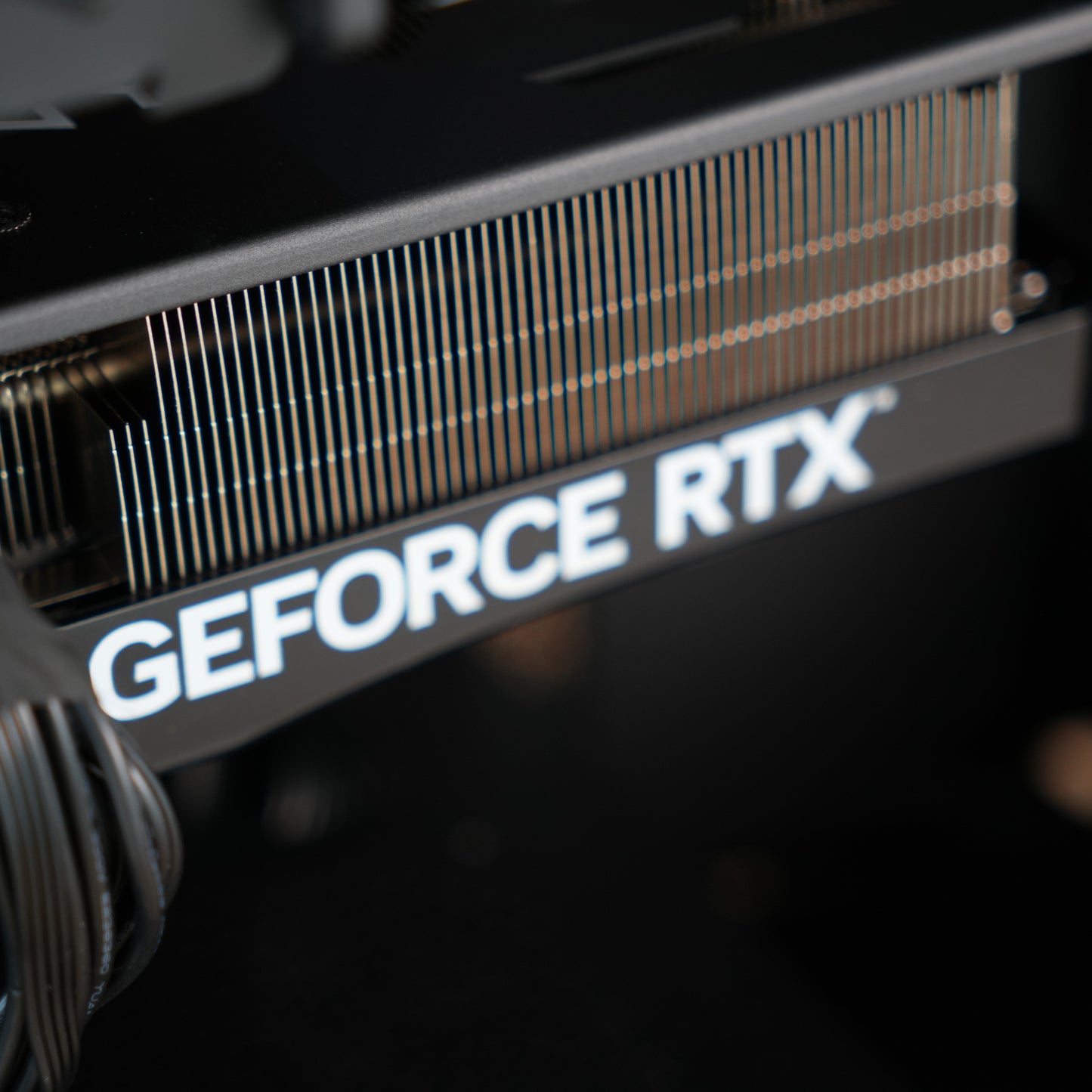
🎮 Graphics: NVIDIA RTX 5080 16GB
Click or tap for deeper spec info
- CUDA acceleration is what the creator applications actually want. In Resolve it drives node processing and playback of a graded timeline, in Premiere Pro and After Effects it accelerates a long list of effects, and in Photoshop and Lightroom it carries the neural and AI-assisted tools.
- 16GB of VRAM is the reason this card is here rather than a faster one with less. Temporal noise reduction at high resolution, deep node trees, large Fusion and After Effects compositions and local AI models all fail on capacity before they fail on speed, and a card that runs out of VRAM does not slow down gracefully, it falls off a cliff.
- Hardware encoders including AV1 mean GPU exports and screen recording run without loading the processor, so the machine stays responsive while a render is going.
- Where the ceiling still is: very heavy 8K work with aggressive noise reduction, or large 3D scenes and AI models that want more than 16GB. If that is your normal week rather than an occasional job, talk to us before ordering.
- Fitted in the PCIe 5.0 x16 slot, so a future card is a straight swap.
-
🧰 Case: Corsair Frame 4000D, Black (ATX mid tower)
Click or tap for deeper spec info
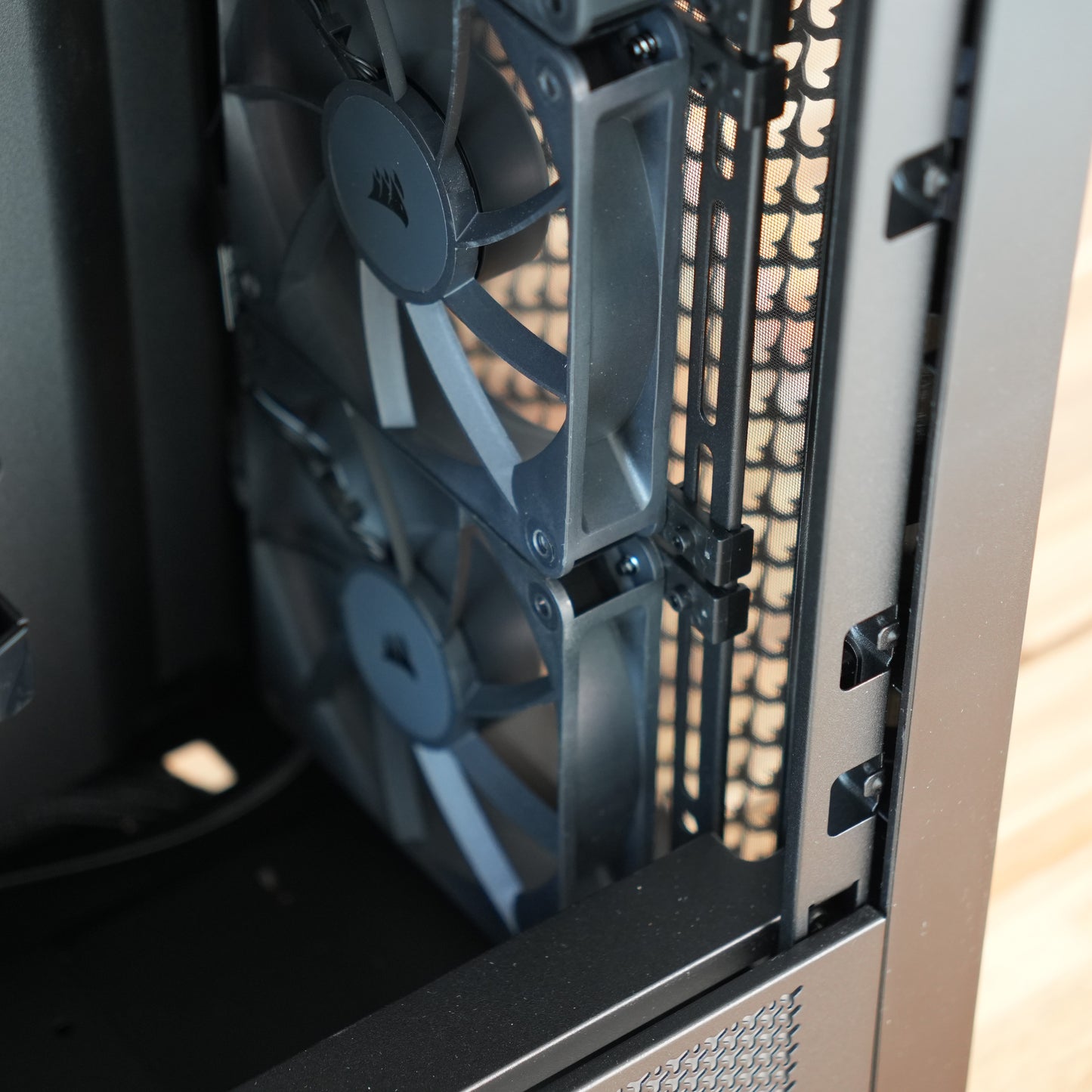
- Mesh front, sensible cable routing behind the tray, and enough internal volume for a full length graphics card and a tall air cooler without servicing turning into a fight.
- Plain black inside and out. A colour-critical desk does not need anything competing with the monitor for your attention.
- Room to grow is part of why we use it. Drive mounts, fan positions and clearance are all still there for the upgrades below rather than being spent on day one.
-
🌬️ Case cooling: 4 x 120mm black fans
Click or tap for deeper spec info
- Configured as intake and exhaust with a slight positive pressure bias, which keeps dust in the filters rather than on the components.
- Fan curves are set in the BIOS so the machine stays quiet at idle and while you are editing, and only ramps when there is genuine sustained load such as an export.
- Airflow across the M.2 area matters more on this build than most, because a project drive under a long sustained write generates real heat and a hot drive throttles. The fan layout and the board heatsinks are set up with that in mind.
- Fan brand and model can vary with supply. The count, size, colour and airflow target do not.
-
⚡ Power Supply: Montech Century II 1050W 80+ Gold, fully modular
Click or tap for deeper spec info
- 1050W is deliberate headroom rather than a number for its own sake. It covers the transient power behaviour of a modern high-end graphics card without the unit ever being asked for everything it has, and it leaves room for a bigger card later with no supply change.
- 80+ Gold efficiency, which matters more than it sounds when the machine runs eight hours a day and the fan is a metre from your ears.
- Fully modular, so only the cables this build needs are fitted. Less clutter behind the tray means better airflow and a much easier job when a component changes.
-
🔌 Cabling: Stock cabling
Click or tap for deeper spec info
- The modular cables supplied with the power supply, routed and tied behind the motherboard tray.
- Custom sleeved or colour matched cabling is available on request through live chat if you want it.
- 🪟 Operating System: As chosen by you from the listing options
-
🧹 Setup: Clean Windows install, drivers updated, BIOS configured, memory profile enabled
Click or tap for deeper spec info
- No bloat, no trial software, no third party utilities you did not ask for. The machine boots to a clean desktop with current drivers already in place.
- BIOS is configured and the XMP or EXPO memory profile is enabled before dispatch, so the memory runs at its rated speed rather than a default fallback.
- The two drives are set up as separate volumes before it ships, so projects, cache and scratch have somewhere sensible to live from the first time you open a project.
- Every machine is hand-built and stress tested on CPU, RAM and GPU before it leaves us, and ships with a certificate recording the result.
-
🛡️ Warranty: 3 years parts and labour, return to base
Click or tap for deeper spec info
- Three years as standard, covering parts and labour. Return to base means the machine comes back to us for repair rather than being handed to a third party.
- Technical support is a real person on live chat, before and after you buy.
🔌 Connectivity & Expansion
- ⚡ Thunderbolt 4 / USB4: 2 rear Type-C ports at 40Gb/s, for external SSDs, docks, RAID enclosures and capture hardware that behave like internal devices
- 🔌 USB ports (rear): 2 x USB 2.0, 4 x USB 3, 2 x USB 3.2, plus the 2 Thunderbolt 4 / USB4 Type-C ports above
- 🔌 USB ports (front): 2 x USB 3.0, 1 x USB-C
- 📁 M.2 slots: 4 in total, one of them PCIe Gen5. Two are used by the drives fitted, leaving 2 free
- 🎮 Graphics slot: PCIe 5.0 x16, occupied by the RTX 5080 and ready for a larger card
- 💽 SATA support: 4 x 2.5 inch drives, 2 x 3.5 inch drives
- 📶 Networking: Wi-Fi 7, Bluetooth 5.4, 2.5 Gigabit Ethernet
- 📏 Memory slots: 4 in total, 2 used by the kit fitted. Capacity beyond 64GB is something to discuss with us on live chat rather than an option below
🛠️ Popular Upgrades
-
💾 A dedicated cache and scratch drive (click/tap to learn more)
Two M.2 slots stay free, and this is the upgrade we recommend most often on this build. Worth it once your project drive is doing two jobs at once: holding media while Resolve or After Effects writes cache to the same disk. Splitting them puts the sustained write and the sustained read on separate drives and removes a stall you probably assumed was the software. Less relevant if you work on one project at a time and archive as you go. -
💾 A larger project drive (click/tap to learn more)
Take this when 2TB of active work starts forcing you to archive mid-job, which usually means long-form, multicam, or high resolution source files you cannot afford to move off yet. Larger and additional drives appear in the listing options below, and the free M.2 slots mean it can also wait until you know your real working set. -
🗄️ NAS storage for backup and shared projects (click/tap to learn more)
The moment this earns its place is when you are hunting through external drives for last month's project, or when a second editor needs the same media. The 2.5 Gigabit Ethernet port here is fast enough to cut proxies straight off a NAS, and it also gives you somewhere automatic for finished work to land instead of one more portable drive. We can design a Synology or QNAP setup around your capacity and how you work. -
🔇 Noctua Pure Silence Setup (click/tap to learn more)
Every case fan is replaced with a Noctua silence-optimised fan and the curves are retuned in the BIOS for near-silent running. Worth it if you record voiceover or audio in the same room, or if you simply sit next to the machine for long days while it renders. Less relevant if the PC lives under a desk in another space. -
🔋 Uninterruptible Power Supply (UPS) (click/tap to learn more)
Holds the system up for around ten minutes during a power cut, long enough to save and shut down cleanly. The case for it is not the hardware, it is the project file, the render and the half-written master you would otherwise lose. Strongly worth considering if you work to client deadlines or your supply is unreliable. -
❄️ 360mm liquid cooling instead of the air cooler (click/tap to learn more)
Available at no extra charge if you prefer it, subject to availability. Worth choosing if you want the clearance above the memory and around the socket for a specific build, or you simply prefer the look. We fit air as standard because it is the more reliable answer over a three year warranty, and on this processor the temperature difference does not change your export times. -
🎥 Camera and gameplay capture hardware (click/tap to learn more)
Relevant if you record talking-head video, run a live show, or capture a console or a second machine. Simple USB capture handles most HDMI cameras at 1080p60, and higher-end USB capture reaches 4K60 depending on the camera. Tell us your camera, resolution and frame rate on live chat and we will point you at the right one. Cables, adapters and cameras are not included. -
🎮 More VRAM than 16GB (click/tap to learn more)
This is a live chat conversation rather than a dropdown, because the honest answer depends entirely on what you run. If heavy 8K with aggressive noise reduction, large 3D scenes or local AI models are your normal week, there is a case for it. For 4K and 6K editing, grading, compositing and photo work, 16GB is not what is holding you up and we will tell you so.
👁️ Transparency Notes
-
The graphics card ships in its own box to protect the PCIe connector in transit, with instructions for fitting it (click or tap to read more)
This PC contains a large and high value graphics card. All graphics cards have a point of weakness at the PCIe connector, and shipping the card in its own box prevents damage that can happen in transit despite our industry-leading packaging. It arrives with simple instructions and fitting it takes a couple of minutes. If you have any queries about this, please contact us. This is without doubt the safest method to ensuring your high performance graphics card arrives pristine.
-
The DRAM-buffered project drive changes sustained write behaviour, not peak headline speed (click or tap to read more)
Benchmark numbers on a short test will look broadly similar to a good unbuffered drive, and anyone comparing spec sheets should know that. The difference appears minutes into a long write, when the fast cache is exhausted and the drive is doing its real work. That is where it holds a much higher and steadier floor. If your writes are short and bursty, you would not have noticed the difference, and we would rather say that than imply otherwise.
-
The operating system drive is not DRAM-buffered, and that is a deliberate split rather than an oversight (click or tap to read more)
System and application access is dominated by short reads and small writes, which is precisely the pattern where a host memory buffer drive performs indistinguishably. Putting the buffered drive on projects instead concentrates the benefit where sustained writes actually happen. If you would like both drives buffered, ask on live chat and we will quote it honestly, including whether we think you will feel it.
-
Memory capacity above 64GB is handled through live chat rather than as an option on this page (click or tap to read more)
Going further means either filling all four slots or fitting a pair of very large modules, and both have real consequences for memory controller behaviour, supported speed and cost. Those are trade-offs worth a two minute conversation rather than a silent dropdown selection. Message us with what you run, and we will spec it properly.
-
The memory kit fitted as standard is DDR5-5200 CL40, a baseline speed rather than a tuned high frequency kit (click or tap to read more)
This is a considered choice, not a corner cut. Creative applications respond to capacity and platform stability far more than to memory frequency, and the gap between kits shows up in gaming benchmarks rather than in export times. The profile is enabled in the BIOS before dispatch so the memory runs at its rated speed.
-
Sixteen gigabytes of VRAM covers the great majority of professional editing work but it is still a ceiling (click or tap to read more)
Very heavy 8K timelines with aggressive temporal noise reduction, large 3D scenes and sizeable local AI models can exceed it, and a graphics card that runs out of memory degrades sharply rather than gently. For 4K and 6K editing, grading, compositing, photo and design work this card has real headroom. Tell us what you run if you are unsure and we will give you a straight answer.
-
Where a component is described generically rather than by model, the exact part can vary with supply (click or tap to read more)
Case fans, cabling and the specific SSD models are the usual examples. Named models are fitted as named, and where a named part becomes unavailable we substitute an equivalent or better alternative. The DRAM-buffered specification of the project drive is not something we substitute away from. If a particular brand matters to you, confirm it with us on live chat before ordering and we will put it in writing.
-
Photographs may show a different specification built in the same case (click or tap to read more)
Your machine will look very similar but not identical, since components and cable runs differ between builds. Ask on live chat if you would like to see photographs of a build closer to this exact specification.
-
NVIDIA cards suit almost every creator application, but a few workflows have specific requirements (click or tap to read more)
CUDA support is broad across editing, colour, photo and design software, which is why we fit it. If you depend on a particular plugin, codec or professional capture ecosystem, tell us which one and we will confirm compatibility or suggest a different configuration before you order.
🎯 What is this PC best for?
- Multicam and long-form 4K editing where the project drive is being written to as hard as it is read
- Graded 6K work and 8K on a sensible codec in DaVinci Resolve and Premiere Pro
- Colour grading and finishing with real node trees and temporal noise reduction
- Ingesting full camera cards and writing long masters without the machine bogging down
- After Effects and Fusion compositing alongside an open edit
- Large layered Photoshop files, big Lightroom catalogues and high resolution retouching
- Editing directly from Thunderbolt 4 external SSDs, docks and RAID enclosures
- Moderate 3D and Unreal work sitting next to a video workflow rather than replacing it
💬 Need help?
Not sure if this is the right spec for your workflow? Ping us on live chat and we will help you choose the perfect creator PC.
Couldn't load pickup availability
🔒 Secure Shopify checkout 🛡️ Warranty included




Creator PCs
The PC36 Way
⚡Creator PCs
Straight to the point - we make video, we edit photos. We know the specs that work
We've designed our Creator Series to only show the sensible options - crafted for reliability and performance
Not quite the spec you want? Or need to change something that's not in the options? Chat with us via the chat bubble icon
Every system is hand-built in Torquay, UK by PC36 - combining clean design, quiet performance, and exceptional reliability
Creator PCs use similar hardware to gaming PCs, so they will actually game nicely on the side too!
🛠️ Customisation and Upgrades
If there is a change or upgrade you would like to make that can't be done directly from the listing, please contact us and we'll make it happen 😎
🔑 Easy Set-up
PC36 systems are the easiest to own. Simply plug it in, power it on, and use. No fiddling, no setup screens, no driver hunts. We deliver a clean Windows install with the latest drivers pre-installed, so you’re creating straight out of the box.
✅ Testing
Every PC36 system undergoes rigorous stress testing before it leaves our workshop. We push it harder than you ever will — if it fails, we don’t ship it.
100% CPU + RAM + GPU torture tests performed all together for the ultimate stress test
Read our statement on noise profile here: LINK
👁️Transparency
Look out for the 👁️ symbol
Here we tell you important info to ensure you know exactly what you're buying and what alternatives might be available
Creator PCs
Helpful info
How Long Until I Get My PC?
Build time is typically 7-10 days
Shipping time is typically 3 days
Most orders are delivered within 10-14 days. If you need it faster please get in touch
If you pay by bank transfer, we can build your PC faster, knocking 2-3 days off the standard completion time
In rare circumstances where availability is low, there may be a delay - we will contact you if so. Rest assured, your payment is not actually taken until stock is confirmed
Delivery and Packaging
Most PCs are delivered via DPD
Delivery is normally made on weekdays. You can change the delivery day (including weekends) via the tracking number or DPD app
PC36 has a unique triple-secure shipping method:
- The interior of the PC is protected with Instapak
- The PC is placed within the case box with foam inserts
- Then a larger second box is padded. The case box is placed inside this box for additional protection
We include as many of the individual component boxes as we can fit in the package, because it helps you with resale value down the line
Please note shipments cannot be delivered to a "safeplace" nor to a neighbour. They must be received by a resident only
Further shipping policy details here
Trusted Brands
Due to stock variability, it is not always possible to specify the exact model of SSD/Motherboard/Power Supply/Board partner graphics card model in every listing, although they will always fulfil the spec/chipset described on the listing.
PC36 is a premium brand. We will only ever use components that make sense for a long term, stable, and performant system. That said, we are always happy to confirm the exact model we will use via live chat just before you purchase
See our Trusted brand list here
Warranty
PC36 offers a gold-standard 3-year warranty on all PCs
This covers component and assembly faults
It does not cover accidental, liquid, or vandalism damage, nor overclocking.
User error including pirated software or viruses is not covered
Repair/replacement is attempted first, and if unable to/uneconomical a refund may be offered
Returns Policy
Returns are accepted within 14 calendar days of delivery, with the following conditions:
- Buyer bears responsibility for return postage cost (unless faulty), and responsibility for the safety/condition of the parcel on its journey back to us
- All serial numbers are recorded and any discrepancies will void the return
- The PC and packaging must be returned in saleable as new condition. All packaging and accessories must be included in the return or it will be void
- Refunds are sent directly to the payment method used for the order
See the full returns policy here
Payment Methods
We accept:
- Direct bank transfer (add to cart and instructions are given)
- Debit/credit card
- Shop Pay