

PC36 Creator Compact Two | Intel Ultra 5 250K Plus + RTX 5070 12GB + 32GB DDR5 + Thunderbolt 4 | Creator PC | PC36
PC36 Creator Compact Two | Intel Ultra 5 250K Plus + RTX 5070 12GB + 32GB DDR5 + Thunderbolt 4 | Creator PC | PC36
- Optimised spec
- Built by experts
- Triple-safe Shipping
Customise with the dropdown menu
🎨 PC36 Creator Compact Two
A small, quiet editing machine that keeps working while you do
Most of the time you spend at a creative workstation is not spent rendering. It is spent scrubbing a timeline, nudging a mask, waiting for a 40-layer PSD to redraw, pulling footage off a card. Creator Compact Two is specified around those minutes rather than around a benchmark run. Playback stays smooth when you stack adjustment layers, the machine does not get louder the longer you work, and the whole thing sits on a desk in the same space as a large box file.
The two decisions that shape this build are storage layout and cooling. Your operating system and applications live on their own 500GB drive, and your active projects, cache and scratch data live on a separate 2TB drive, so a heavy cache write never fights Windows for the same controller. The cooling is a dual tower air cooler and four case fans, which means no pump to fail three years from now and no rising whine during a long export. It is a deliberately unglamorous approach and it is the one that holds up.
Connectivity is the other reason people choose this board. There is a single rear Thunderbolt 4 / USB4 Type-C port running at 40Gb/s, which is enough for one fast external array or dock, plus Wi-Fi 6E and 2.5 Gigabit Ethernet for pulling from a NAS. If your workflow needs more than one Thunderbolt device chained off the back of the machine, tell us in live chat before you order and we will talk you through what actually works.
📃 Specifications
-
🧠 CPU: Intel Core Ultra 5 250K Plus (LGA1851, Arrow Lake Refresh, QuickSync)
Click or tap for deeper spec info
- Split core design: performance cores handle the single-threaded work that decides how responsive a timeline feels, efficiency cores absorb background jobs like proxy generation, media indexing and browser tabs.
- QuickSync is the reason this chip suits editors. Hardware decode of H.264 and HEVC, including 10-bit 4:2:2, keeps camera-native footage playable without transcoding to proxies first in Premiere Pro and Resolve.
- QuickSync also gives you a second hardware encoder alongside the GPU, useful when you are exporting one job and recording or streaming another at the same time.
- Caveat worth knowing: the B860 chipset does not support CPU overclocking. This chip runs at its rated boost behaviour and no higher. For creative work that is the correct trade, you get stability across an eight-hour session instead of a headline number.
-
❄️ CPU Cooler: Thermalright Peerless Assassin 120, black dual tower air cooler
Click or tap for deeper spec info
- Two towers, six heatpipes and two 120mm fans. Sustained render load is where air cooling earns its place, because the cooler is at full capacity from the first minute rather than slowly heat-soaking a small radiator.
- Nothing here can leak, and there is no pump whose bearing gets noisier in year three.
- Fan curves are set in the BIOS so the machine ramps gently rather than surging, which matters if you record voiceover at the same desk.
- All black, no lighting, which suits a machine that sits next to a colour-critical display.
-
🔲 Motherboard: ASRock B860M LiveMixer WiFi (micro-ATX)
Click or tap for deeper spec info
- Chosen specifically for its rear Thunderbolt 4 / USB4 Type-C port at 40Gb/s, which is unusual at this class of board and is the single feature most likely to matter to a working editor.
- Three M.2 slots, one of them PCIe Gen5. Two are populated in this build, leaving one free for a future project or archive drive without opening up the case for a SATA install.
- PCIe 5.0 x16 graphics slot, so the board is not the reason you replace the machine when you next change GPU.
- Realtek ALC1220 onboard audio, which is a genuinely usable step up from base codecs for reference monitoring and rough audio passes.
- B860 supports memory EXPO and XMP profiles. It does not support CPU overclocking.
-
📏 Memory: 32GB (2x16GB) DDR5-5200 CL40
Click or tap for deeper spec info
- Two sticks, both channels populated. Running dual channel is worth more to creative applications than a small frequency bump on a single stick.
- 32GB is the honest sweet spot for 4K editing, Photoshop on large layered files, Lightroom catalogues and having a browser, chat client and audio app open alongside.
- Where 32GB starts to bite: long 4K multicam timelines with heavy noise reduction, After Effects RAM previews of any length, and 6K or 8K source footage. If that is your work, take the 64GB option below.
- Profiles are enabled in the BIOS before dispatch, so the memory runs at its rated speed rather than a conservative default.
-
💾 Storage 1 (OS and applications): 500GB NVMe PCIe 4.0 SSD (TLC)
Click or tap for deeper spec info
- Windows, your creative applications and their preference and plugin data live here, and nothing else does.
- Keeping the system drive separate means a large cache write or a card offload does not slow down the drive your application is trying to launch from.
- TLC flash rather than QLC, so sustained writes hold up instead of collapsing once a small fast cache is exhausted.
-
💾 Storage 2 (projects, cache and scratch): 2TB NVMe PCIe 4.0 SSD (TLC)
Click or tap for deeper spec info
- This is where active projects, media cache, Resolve optimised media and Photoshop scratch belong.
- 2TB is roughly a working set of several current projects rather than a permanent archive. Finished work should move off to external or network storage, both for space and for the sake of having a second copy.
- PCIe 4.0 sequential speed matters most when you are ingesting a card or generating cache. Random performance matters most when you are scrubbing. TLC flash serves both properly.
- Fitted as standard with an HMB drive. If you want DRAM-buffered drives specifically, that is a live chat option on this build rather than a listing option.
-
🎮 Graphics: NVIDIA RTX 5070 12GB
Click or tap for deeper spec info
- CUDA acceleration across Resolve, Premiere Pro, After Effects and the Adobe AI tools, plus NVENC hardware encoding for fast exports and clean screen recording.
- Comfortable for 4K timelines with grades, noise reduction and a normal amount of effects work, and quick at AI-assisted tasks like magic mask, depth map and generative fill.
- The honest limit is the 12GB frame buffer. Very heavy Fusion or After Effects compositions, 8K source, or local generative AI models will want more. The 16GB option below exists for exactly that.
- Gaming is a consequence of this card rather than the point of it, but it plays anything at 1440p very comfortably if you want it to.
-
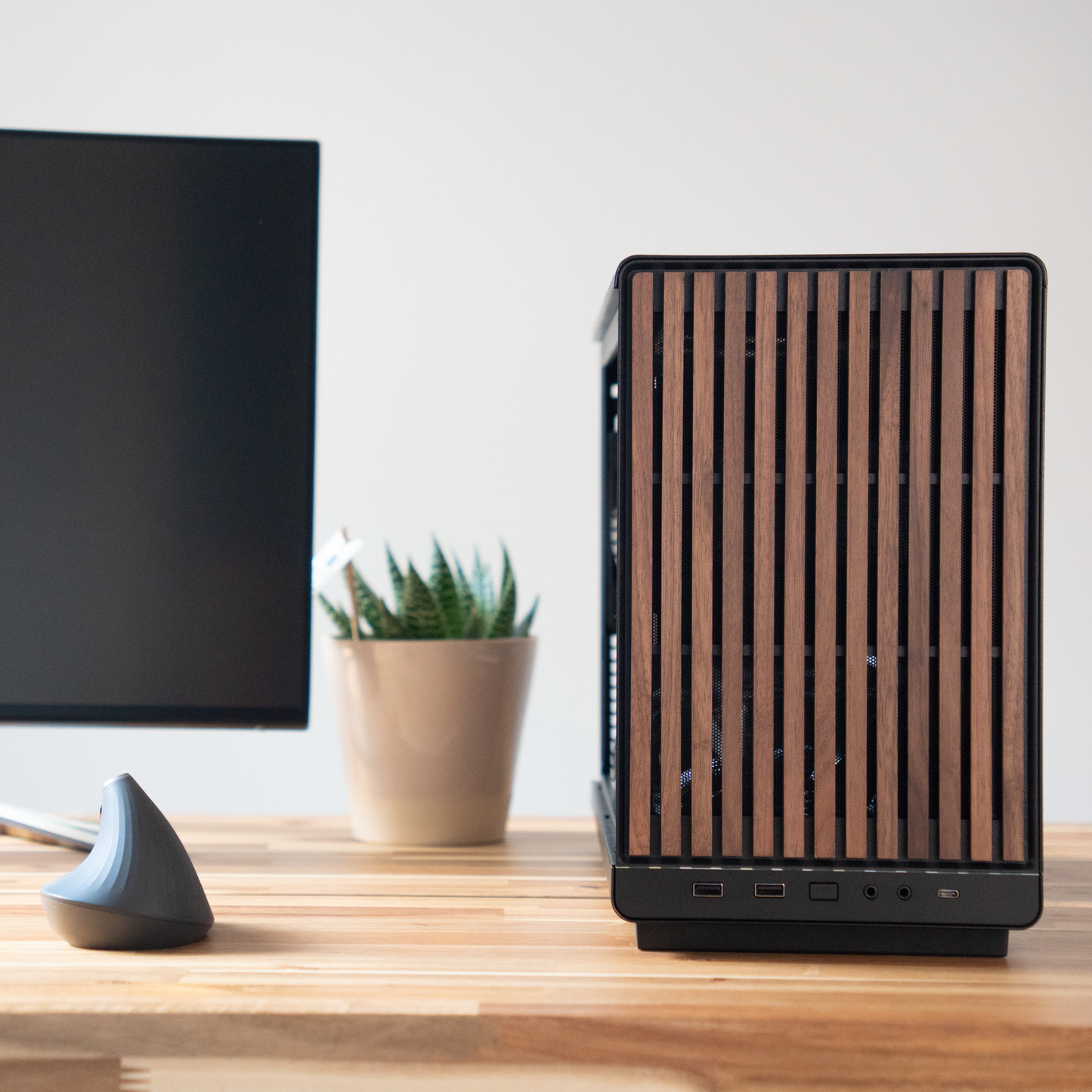
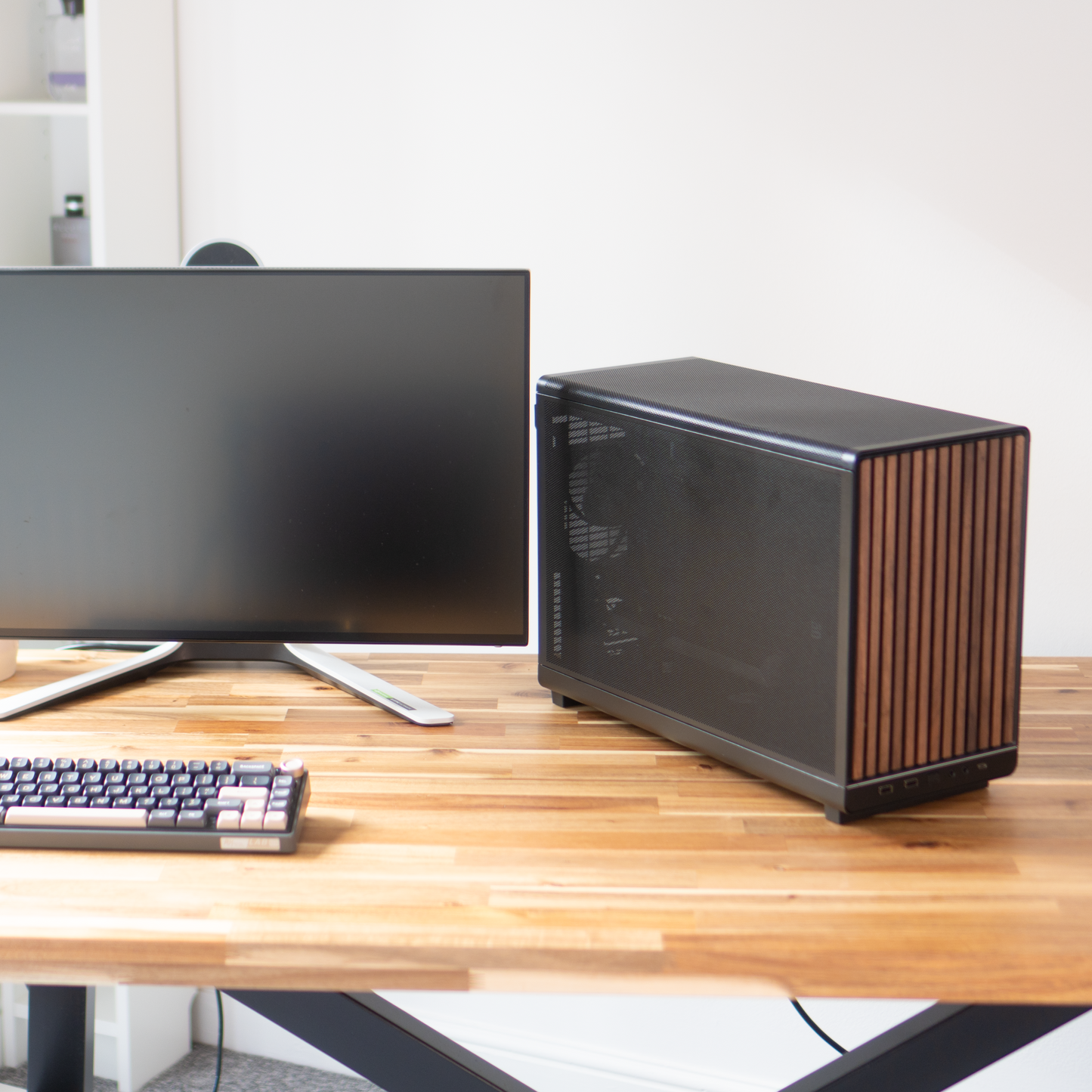
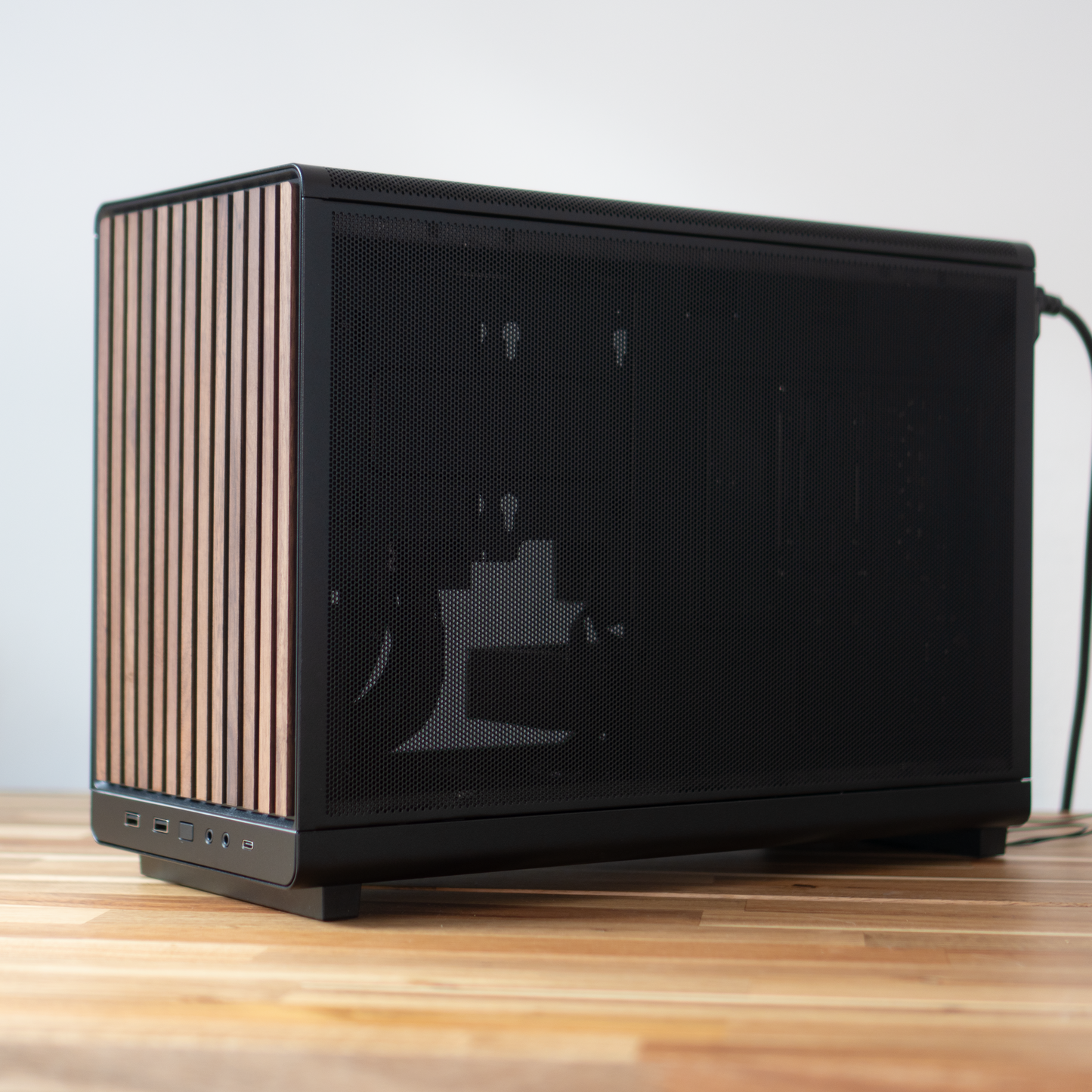
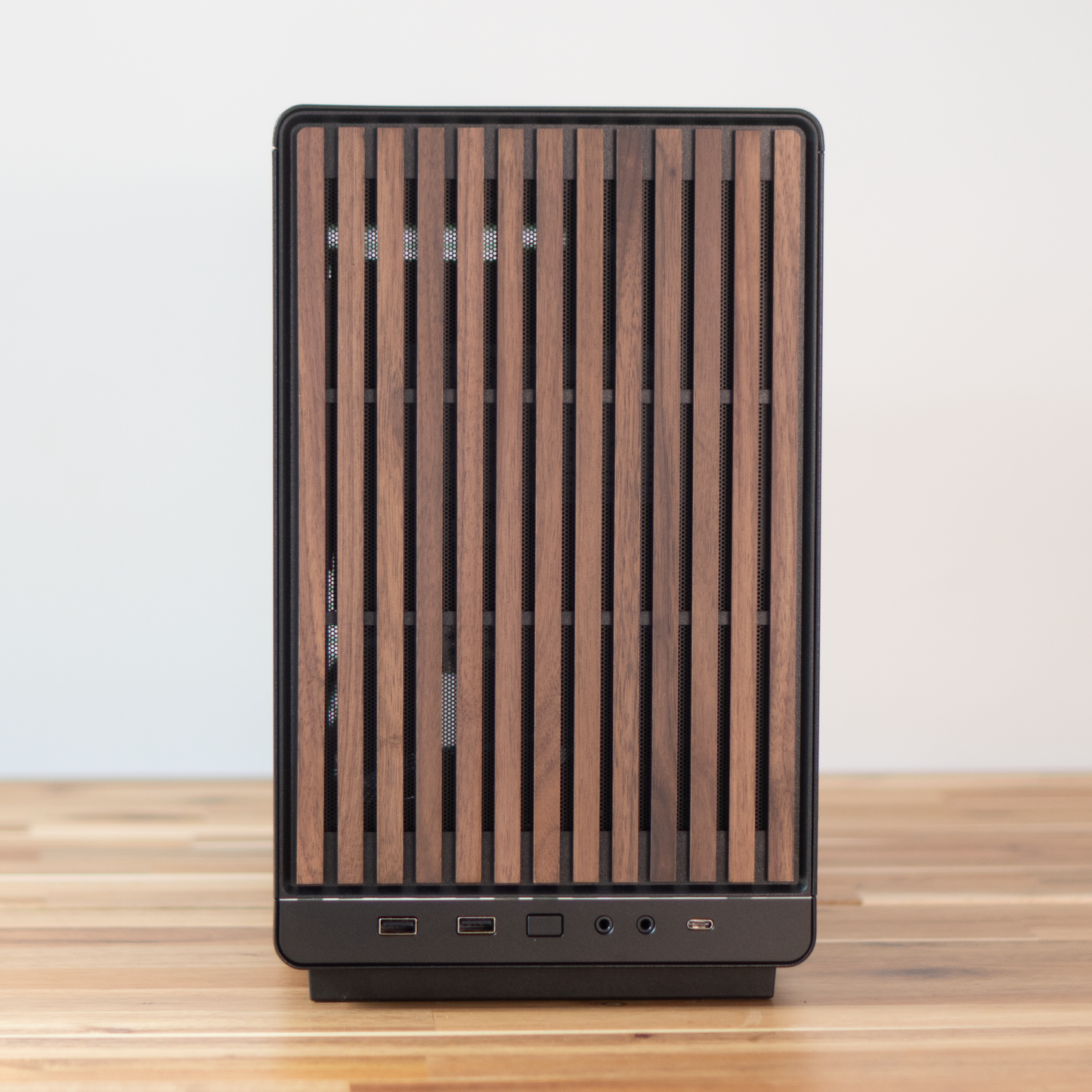
🧰 Case: Lian Li A3-mATX, black with a walnut front
Click or tap for deeper spec info
- Compact micro-ATX chassis with a mesh front, designed so a full size dual tower cooler and a long graphics card still fit properly.
- The walnut front panel is real wood veneer. It is the reason this machine looks at home on a desk rather than under one.
- Ships from Lian Li with no fans at all. The four we fit are ours, chosen and positioned by us, not a bundled set.
- A tempered glass side panel is available as a quick-add option and replaces the mesh panel. Mesh is the better thermal choice, glass is the quieter and more contained one.
-
🌬️ Case cooling: 4 x 120mm black fans
Click or tap for deeper spec info
- Configured for steady intake across the mesh front and clean exhaust, so the graphics card and the cooler are not competing for the same air.
- Curves are tuned to hold a flat, constant note under render load rather than surging up and down, which is far less distracting over a full day.
- Plain black fans with no lighting.
- Fan brand and model can vary with supply. Airflow, noise and configuration do not.
-
⚡ Power Supply: Montech Century II 850W 80+ Gold, fully modular
Click or tap for deeper spec info
- 850W is deliberate headroom rather than what this build needs. It leaves room for a substantially bigger graphics card later without a second purchase.
- 80+ Gold efficiency means less waste heat inside a compact case, which the fans then do not have to remove.
- Fully modular, so only the cables this build actually uses are installed. In a case this size that is a real thermal and tidiness benefit, not a cosmetic one.
-
🔌 Cabling: Stock cabling
Click or tap for deeper spec info
- The supplied modular cables, routed and secured behind the tray. Custom sleeved or extension cable sets can be quoted in live chat.
-
🪟 Operating System: As chosen by you
Click or tap for deeper spec info
- Installed clean with no manufacturer software, no trials and no bundled utilities.
- Drivers are current at the point of dispatch, and the BIOS is configured with memory profiles enabled before it leaves us.
-
🧹 Setup and testing: Hand-built, stress tested and certified before dispatch
Click or tap for deeper spec info
- Every machine is built by hand and put under full load on CPU, RAM and GPU together, not one at a time.
- It ships with a certificate recording what was tested and what the results were.
- The point of the test is to find an unstable memory profile or a marginal component here rather than three weeks into your project.
-
🛡️ Warranty: 3 years parts and labour, return to base
Click or tap for deeper spec info
- Three years as standard, covering both parts and the labour to fit them.
- Return to base, so the machine comes back to us and is diagnosed by the people who built it.
- Before anything is shipped anywhere, we will try to sort it over live chat. A surprising number of faults are a driver or a setting.
🔌 Connectivity & Expansion
- ⚡ Thunderbolt 4 / USB4: One rear Type-C port at 40Gb/s. Enough for a single fast external SSD array, a Thunderbolt dock or a capture device. If you need two independent Thunderbolt devices, talk to us first.
- 📶 Networking: Wi-Fi 6E, Bluetooth 5.3, and 2.5 Gigabit Ethernet on a Dragon RTL8125BG controller. The 2.5 Gigabit port is the one that matters if you edit from a NAS.
- 📁 M.2 storage: Three M.2 slots in total, one of them PCIe Gen5. Two are used by the drives in this build, leaving one free.
- 🎮 Graphics slot: PCIe 5.0 x16, ready for a future card well beyond this one.
- 🎚️ Audio: Realtek ALC1220 onboard codec, good enough for reference monitoring and rough mixes.
- 🧠 Tuning: Memory EXPO and XMP profiles are supported and enabled by us. The B860 chipset does not support CPU overclocking.
🛠️ Popular Upgrades
Every one of these is worth having in the right circumstances and a waste of money in the wrong ones. Here is how to tell which you are in.
-
📏 64GB memory (2x32GB)
Click or tap to read when this is worth it
- Worth it if you work with 6K or 8K source, run long After Effects RAM previews, edit 4K multicam with noise reduction, or keep Resolve and Photoshop open together on large files.
- Not worth it if you are on 1080p or standard 4K single-camera timelines. You will not see the difference, and the money is better spent on the graphics card or storage.
-
🎮 RTX 5070 Ti 16GB
Click or tap to read when this is worth it
- Worth it if you hit the 12GB frame buffer: heavy Fusion or After Effects compositions, 8K timelines, or running local generative AI models.
- Also worth it if grading and noise reduction are your bottleneck rather than playback, since more VRAM and more CUDA cores both help there.
- Not worth it for photo work, design, or 4K editing that already plays back smoothly. The 5070 is not what is slowing you down.
-
💾 Larger or additional storage
Click or tap to read when this is worth it
- Worth it if a single project routinely runs past a few hundred gigabytes, or if you would rather keep completed work locally than move it off after delivery.
- There is one free M.2 slot, so a third drive can be added later without replacing anything, but fitting it now saves you opening the machine.
- Capacity options are in the listing dropdowns below.
-
💽 DRAM-buffered project drive
Click or tap to read when this is worth it
- Worth it for sustained heavy write work: continuous card offloads, generating optimised media for long timelines, or scratch-intensive compositing.
- Not worth it for typical editing and photo workflows, where the standard drives already hold their speed.
- This is a live chat option on this build rather than a listing dropdown, because the right drive depends on what you actually do. Ask and we will spec it.
-
🔇 Noctua Pure Silence Setup
Click or tap to read when this is worth it
- Every case fan is replaced with a Noctua silence-optimised fan and the curves are retuned in the BIOS around them.
- Worth it if you record voice, monitor audio, or simply work in a quiet room where the machine is the loudest thing in it.
- Not worth it if the machine sits under a desk in a normal room with background noise. This build is already quiet by default.
-
🧰 A3 tempered glass side panel
Click or tap to read when this is worth it
- Replaces the mesh side panel with tempered glass.
- Worth it if the machine is on your desk and you would rather look at the build than at mesh, or if you want slightly more contained noise.
- Trade-off stated plainly: mesh breathes better. Glass is a small step backwards thermally, which this build has the headroom to absorb, but it is a real trade.
-
🔋 Uninterruptible power supply
Click or tap to read when this is worth it
- Keeps the machine alive for around ten minutes during a cut, which is time to save and shut down properly.
- Worth it if you run overnight renders, work to client deadlines, or live somewhere with unreliable power. A corrupted project file costs more than the unit does.
- Not worth it if your work is short-form and backed up continuously to cloud storage.
-
🎥 Capture hardware
Click or tap to read when this is worth it
- Worth it if you record talking-head video from a camera rather than a webcam, capture console footage, or run a two-machine streaming setup.
- USB capture devices suit most people and need nothing from the internal expansion slots. Internal cards are for higher frame rates and lower latency.
- Capture devices generally need an HDMI cable and often an adapter for your specific camera, neither of which is included. Tell us your camera model and we will tell you exactly what you need.
-
🗄️ NAS and backup
Click or tap to read when this is worth it
- Worth it once your archive outgrows the internal drives, or the moment you have work you could not afford to lose.
- The 2.5 Gigabit Ethernet port on this board is fast enough to edit proxies directly from a network share, which changes how a small studio works.
- We can design a setup around your capacity, your redundancy needs and whether more than one person needs access. Ask in live chat.
👁️ Transparency Notes
-
This board has exactly one rear Thunderbolt 4 / USB4 port, not two (click or tap to read more)
Some compact creator machines advertise a pair. This one gives you a single 40Gb/s Type-C connection, which covers one dock or one fast external array. If your setup depends on two simultaneous Thunderbolt devices, tell us before ordering and we will look at a different board rather than let you find out later.
-
Where a component is not named as a specific model, the brand and model can change with supply (click or tap to read more)
Case fans and cabling are the usual examples. Named parts in the specification list above are the parts you will receive. Anything generic is chosen to the same standard, and we will confirm the exact model in live chat if you want to know before you order.
-
The project drive is fitted with an HMB SSD as standard, with DRAM-buffered drives available on request (click or tap to read more)
Both are TLC flash and both hold their speed far better than budget QLC drives. The DRAM option is a genuine improvement under continuous heavy writes and makes very little difference to normal editing, which is why it is a conversation rather than a default.
-
The B860 chipset supports memory profiles but does not support CPU overclocking (click or tap to read more)
EXPO and XMP are enabled by us before dispatch, so the memory runs at its rated speed. The processor runs at stock boost behaviour, which is what we would recommend for a machine that has to be reliable across long renders anyway.
-
The Lian Li A3-mATX ships from the manufacturer with no fans, so the four in this build are ours (click or tap to read more)
Positions and curves are chosen by us for this particular combination of cooler and graphics card. If you compare this listing against another A3 build, check whether their fan count is included or extra.
-
Photographs may show a different specification in the same case (click or tap to read more)
Your machine will look very similar but not identical, since graphics card length, cooler height and cable routing all vary between builds. Ask on live chat if you want a photo of your actual system before it ships.
-
This is a compact chassis, which sets a real limit on future upgrades (click or tap to read more)
Micro-ATX means fewer expansion slots than a full tower and less room for very long graphics cards or a large radiator later. The trade is a machine that fits on a desk. We would rather you knew the ceiling now than discovered it in two years.
🎯 What is this PC best for?
- 4K video editing in DaVinci Resolve, Premiere Pro and Final Cut alternatives
- Colour grading and noise reduction on 4K timelines
- Motion graphics and moderate compositing in After Effects and Fusion
- Photo editing and retouching on large layered files in Photoshop and Lightroom
- Design and illustration work in Illustrator, InDesign and Affinity
- Recording, streaming and podcast production, with hardware encoding on both CPU and GPU
- Running several creative applications at once without closing one to open another
- Desks where the machine has to be seen and heard as little as possible
💬 Need help?
Not sure if this is the right spec for your workflow? Ping us on live chat. We will help you choose the perfect creator PC.
Couldn't load pickup availability
🔒 Secure Shopify checkout 🛡️ Warranty included



Creator PCs
The PC36 Way
⚡Creator PCs
Straight to the point - we make video, we edit photos. We know the specs that work
We've designed our Creator Series to only show the sensible options - crafted for reliability and performance
Not quite the spec you want? Or need to change something that's not in the options? Chat with us via the chat bubble icon
Every system is hand-built in Torquay, UK by PC36 - combining clean design, quiet performance, and exceptional reliability
Creator PCs use similar hardware to gaming PCs, so they will actually game nicely on the side too!
🛠️ Customisation and Upgrades
If there is a change or upgrade you would like to make that can't be done directly from the listing, please contact us and we'll make it happen 😎
🔑 Easy Set-up
PC36 systems are the easiest to own. Simply plug it in, power it on, and use. No fiddling, no setup screens, no driver hunts. We deliver a clean Windows install with the latest drivers pre-installed, so you’re creating straight out of the box.
✅ Testing
Every PC36 system undergoes rigorous stress testing before it leaves our workshop. We push it harder than you ever will — if it fails, we don’t ship it.
100% CPU + RAM + GPU torture tests performed all together for the ultimate stress test
Read our statement on noise profile here: LINK
👁️Transparency
Look out for the 👁️ symbol
Here we tell you important info to ensure you know exactly what you're buying and what alternatives might be available
Creator PCs
Helpful info
How Long Until I Get My PC?
Build time is typically 7-10 days
Shipping time is typically 3 days
Most orders are delivered within 10-14 days. If you need it faster please get in touch
If you pay by bank transfer, we can build your PC faster, knocking 2-3 days off the standard completion time
In rare circumstances where availability is low, there may be a delay - we will contact you if so. Rest assured, your payment is not actually taken until stock is confirmed
Delivery and Packaging
Most PCs are delivered via DPD
Delivery is normally made on weekdays. You can change the delivery day (including weekends) via the tracking number or DPD app
PC36 has a unique triple-secure shipping method:
- The interior of the PC is protected with Instapak
- The PC is placed within the case box with foam inserts
- Then a larger second box is padded. The case box is placed inside this box for additional protection
We include as many of the individual component boxes as we can fit in the package, because it helps you with resale value down the line
Please note shipments cannot be delivered to a "safeplace" nor to a neighbour. They must be received by a resident only
Further shipping policy details here
Trusted Brands
Due to stock variability, it is not always possible to specify the exact model of SSD/Motherboard/Power Supply/Board partner graphics card model in every listing, although they will always fulfil the spec/chipset described on the listing.
PC36 is a premium brand. We will only ever use components that make sense for a long term, stable, and performant system. That said, we are always happy to confirm the exact model we will use via live chat just before you purchase
See our Trusted brand list here
Warranty
PC36 offers a gold-standard 3-year warranty on all PCs
This covers component and assembly faults
It does not cover accidental, liquid, or vandalism damage, nor overclocking.
User error including pirated software or viruses is not covered
Repair/replacement is attempted first, and if unable to/uneconomical a refund may be offered
Returns Policy
Returns are accepted within 14 calendar days of delivery, with the following conditions:
- Buyer bears responsibility for return postage cost (unless faulty), and responsibility for the safety/condition of the parcel on its journey back to us
- All serial numbers are recorded and any discrepancies will void the return
- The PC and packaging must be returned in saleable as new condition. All packaging and accessories must be included in the return or it will be void
- Refunds are sent directly to the payment method used for the order
See the full returns policy here
Payment Methods
We accept:
- Direct bank transfer (add to cart and instructions are given)
- Debit/credit card
- Shop Pay